Dark fabric soundbar in front of a TV on a mid-century wooden media console

Best Soundbars for TV of 2026: 6 Picks Compared

We may earn a commission when you buy through links on this page. As an Amazon Associate I earn from qualifying purchases. How we make money

A soundbar fixes the thin sound and muddy dialogue of most flat TVs. The decisions that matter are how many channels you need, whether you want Dolby Atmos and which HDMI port your TV offers. This page is for TV viewers who want clearer speech and bigger sound without a full speaker system.

We compared 6 soundbars and picked 6.

Our picks at a glance

  1. Sonos Beam (Gen 2)
    ★ Start here Best overall Sonos Beam (Gen 2) Dolby Atmos in a compact bar that joins the Sonos multiroom system.

    $321.95 Price as of Nov 25, 2026, 12:46 AM ET. Details

  2. Sonos Arc Ultra
    Best premium Sonos Arc Ultra Big, room-filling Dolby Atmos from a single bar.

    $849.00 Price as of Nov 25, 2026, 8:06 PM ET. Details

  3. Polk Signa S4
    Best with subwoofer Polk Signa S4 A Dolby Atmos bar with a wireless subwoofer included at a mid price.

    $359.00 Price as of Nov 25, 2026, 8:06 PM ET. Details

  4. Bose Smart Soundbar
    Best for dialogue Bose Smart Soundbar A.I. Dialogue Mode lifts voices above effects and music.

    $369.00 Price as of Nov 25, 2026, 8:07 PM ET. Details

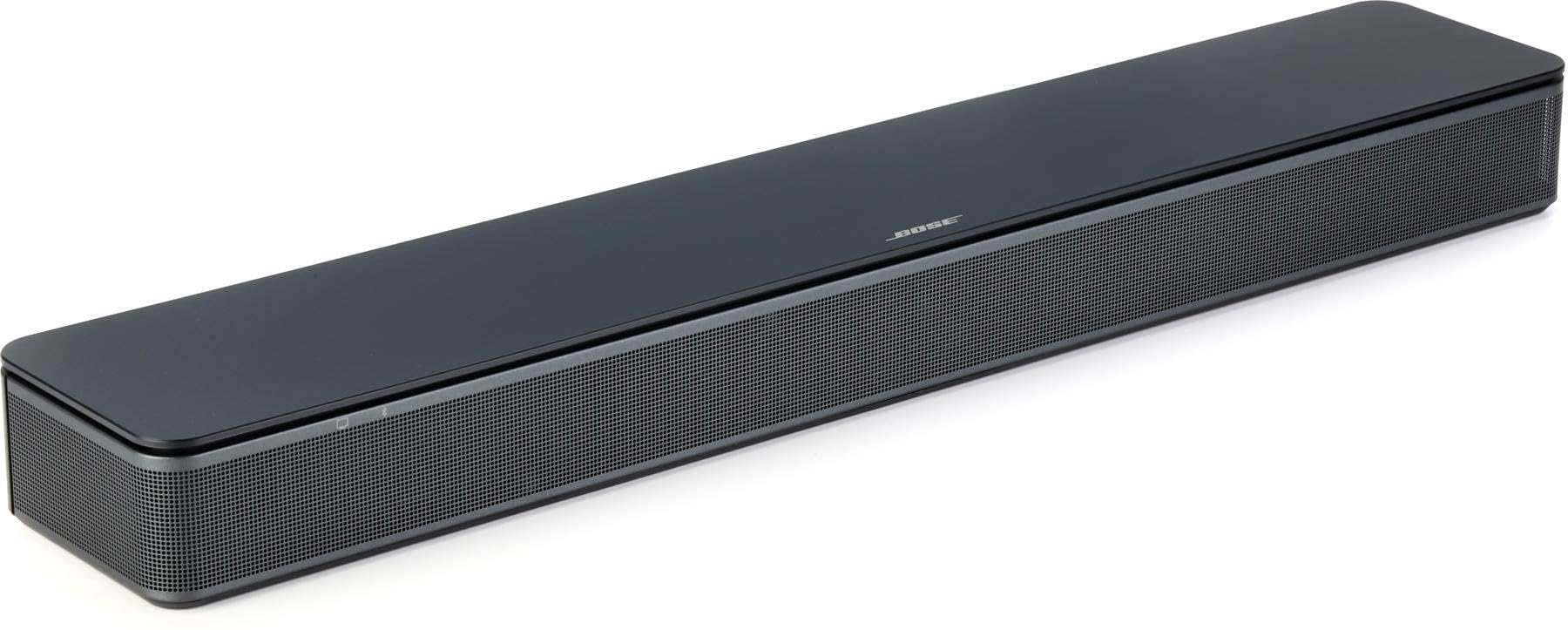
  5. Bose TV Speaker
    Best compact Bose TV Speaker A small bar that makes TV dialogue clearer for a low price.

    $199.00 Price as of Nov 25, 2026, 8:07 PM ET. Details

  6. Amazon Fire TV Soundbar Plus
    Best for Fire TV Amazon Fire TV Soundbar Plus A 3.1-channel bar with a dedicated center channel, built-in bass, Dolby Atmos and DTS:X; one Fire TV remote runs both the TV and the bar.

    $139.99 Price as of Nov 25, 2026, 7:11 PM ET. Details

Compare the picks

Product Channels Dolby Atmos HDMI eARC Subwoofer Inputs Width (in) Streaming Rear speakers upgradable Link
Sonos Beam (Gen 2) Best overall Sonos Beam (Gen 2) – – – – HDMI, Wi-Fi – Airplay, NFC, Wi-Fi – View on Amazon (opens Amazon in a new tab)
Sonos Arc Ultra Best premium Sonos Arc Ultra – – – – Bluetooth, HDMI, Wi-Fi – Bluetooth, Wi-Fi – View on Amazon (opens Amazon in a new tab)
Polk Signa S4 Best with subwoofer Polk Signa S4 – – – – Analog, Bluetooth, HDMI, Optical, USB – Bluetooth – View on Amazon (opens Amazon in a new tab)
Bose Smart Soundbar Best for dialogue Bose Smart Soundbar – – – – Bluetooth – Airplay, Bluetooth – View on Amazon (opens Amazon in a new tab)
Bose TV Speaker Best compact Bose TV Speaker – – – – Bluetooth version: 4.2 / HDMI ARC (Audio Return Channel) /… – Bluetooth – View on Amazon (opens Amazon in a new tab)
Amazon Fire TV Soundbar Plus Best for Fire TV Amazon Fire TV Soundbar Plus – – – – – – – – View on Amazon (opens Amazon in a new tab)

Specs as listed by the manufacturer or seller. Paid links. Tick “Compare” on 2 to 4 products to see them side by side.

Head-to-head: Sonos Beam (Gen 2) vs Sonos Arc Ultra · Sonos Beam (Gen 2) vs Polk Signa S4 · Sonos Arc Ultra vs Polk Signa S4

Jump to section
  1. How we chose
  2. The best soundbars
  3. How to choose the right soundbar
  4. Tips for using your soundbar
  5. FAQ
  6. Sources

How we chose

  • Channels and Dolby Atmos

    more channels spread sound, and Atmos adds height.

  • HDMI eARC

    the HDMI port decides how the soundbar connects to your TV.

  • Dialogue enhancement

    a voice mode and a center channel give speech its own focus.

  • Subwoofer included

    a subwoofer adds the low end a small bar cannot.

  • Room size

    a bar should suit the room you watch in.

  • App and streaming

    streaming support and an app add features for music.

  • We compared 6 soundbars that fit this page and picked 6.
  • Sources: maker product pages, manuals and spec sheets, plus Dolby, Apple for the facts behind the advice.
  • Specs as listed: every value in our table comes from the manufacturer or seller listing. A dash means the listing does not give that spec.
  • We have not hands-on tested these products. Full method

The best soundbars

6. Best for Fire TV: Amazon Fire TV Soundbar Plus

Amazon Fire TV Soundbar Plus

Why we picked it

A 3.1-channel bar with a dedicated center channel, built-in bass, Dolby Atmos and DTS:X; one Fire TV remote runs both the TV and the bar.

Pros

  • Dedicated center channel for clearer dialogue
  • Dolby Atmos and DTS:X support
  • One HDMI eARC/ARC cable to set up

Cons

  • Built-in bass only: no separate subwoofer
  • Some sound settings need a Fire TV device

$139.99 Price as of Nov 25, 2026, 7:11 PM ET. Details

Read our full review →

How to choose the right soundbar

Soundbars range from simple single bars to systems with a separate sub and rear speakers. Start with your TV's ports, then decide how much sound you want in the room. If you are weighing a soundbar against speakers, compare powered bookshelf speakers, and use our speaker placement guide for setup.

Channels and Dolby Atmos

Check the channels column and whether the bar supports Dolby Atmos. Atmos adds a height layer, and Dolby describes two ways to get it: ceiling speakers that fire down, and up-firing speakers that bounce sound off the ceiling (Dolby). A bar with up-firing drivers uses the second method, so read the maker's manual to see how it expects your ceiling to behave. A bar without Atmos can still suit you if your main goal is clearer speech.

HDMI eARC

The HDMI port decides how the bar and the TV talk to each other. Look on your TV for a port marked ARC or eARC, then check the HDMI eARC column for each bar. When both sides match, one cable carries sound from the TV to the bar. If your TV lacks the port, check the inputs column for an optical input instead, and read both manuals so you know which connection each device expects.

Dialogue enhancement

Look for a dialogue or voice mode in the maker's description, and for a dedicated center channel that gives speech its own speaker. Dolby says the center speaker should sit just below or above the TV, so the sound comes directly at you (Dolby), so check that the shape of the bar lets it sit in that spot on your stand.

Subwoofer included

Check whether a subwoofer is included and whether it is wireless, using the subwoofer column. A wireless sub is easier to place because it needs power but no long cable to the bar. Some bars skip the sub to save space and cost. That can work in a bedroom, but low notes may sound thin in a bigger living room.

Room size

Match the bar to the room and the TV. The width column tells you whether it fits your stand and the space under the screen. A compact bar can suit a small room, while a larger room may call for more channels or a sub. The rear speakers column shows whether you can add surrounds later, which matters if you plan to build the system over time.

App and streaming

Check for Wi-Fi or Bluetooth streaming, and whether the bar has an app for settings. Bluetooth is convenient, but not lossless (Apple).

Tips for using your soundbar

  • Check your TV's HDMI ports before you shop. Look for ARC or eARC.
  • Put the bar just below or above the TV so the sound comes directly at you. See speaker placement.
  • For music as well as TV, compare bookshelf speakers.
  • Check whether rear speakers can be added later if you may upgrade. Read the port labels in both manuals before you order, so you know which cable connects the bar to the TV.

FAQ

Where should it go?

Put the center channel just below or above the TV. Dolby's advice is that this placement lets the sound come straight at you (Dolby).

How does Atmos add height?

Atmos height comes from two designs, as Dolby describes them: ceiling speakers that fire downward, and up-firing speakers that bounce sound off the ceiling (Dolby).

Do I need eARC?

You need a matching connection. Look for an HDMI ARC or eARC port on your TV, then compare it with the HDMI column for each soundbar.

Dialogue hard to hear?

Choose a bar with a voice or dialogue mode and a dedicated center channel, so speech has its own speaker.